
"Our integration with the Google Nest smart thermostats through Aidoo Pro represents an unprecedented leap forward for our industry."
- Antonio Mediato, founder and CEO of Airzone.
Modernizing legacy systems has always been a tough nut to crack. Time-consuming, risky, and often expensive. But with tools like GitHub CoPilot entering the scene, the game is starting to change. This shift is central to the broader practice of Application Modernization, where what used to take months can now be tackled with smart AI assistance that helps developers refactor code, rewrite components, and bring old systems up to speed with modern standards. In this post, we’ll explore how CoPilot is reshaping the way teams approach legacy system overhauls, and why it might just be the partner your dev team didn’t know they needed.
Legacy systems are the backbone of many enterprises—but let’s be honest, they’re also a pain. These systems were built for a different era, and while they might still work, they often hold businesses back from scaling, innovating, or even integrating with newer tools and platforms.
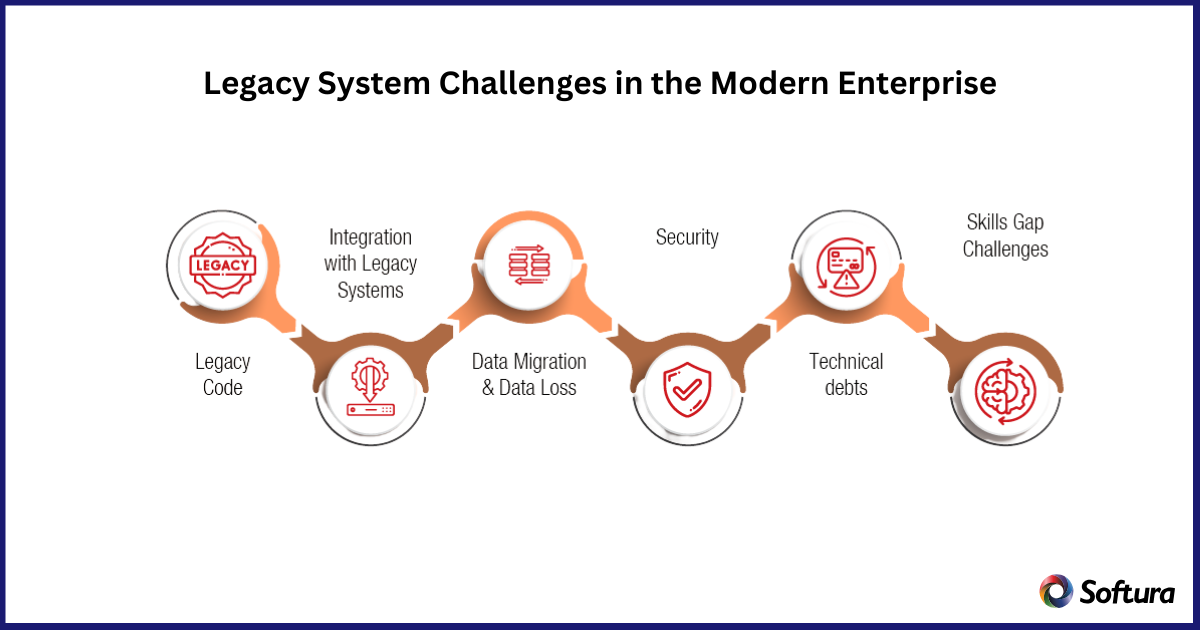
The real challenges? Think brittle codebases, outdated languages, scarce developer expertise, and poor documentation (if any at all). On top of that, these systems are usually deeply embedded into critical business processes, which makes any changes feel like defusing a bomb.
And let’s not forget the cost. Maintaining legacy infrastructure drains IT budgets, leaving little room for innovation. Add in compliance risks and security vulnerabilities, and you've got a ticking time bomb disguised as “business as usual.”
In short, legacy systems are the silent blockers of digital transformation. But the good news? With the right approach and the right tools—like GitHub CoPilot—modernizing them doesn’t have to be the nightmare it once was.
"Our integration with the Google Nest smart thermostats through Aidoo Pro represents an unprecedented leap forward for our industry."
- Antonio Mediato, founder and CEO of Airzone.
At its core, GitHub CoPilot is an AI pair programmer, built on models developed by OpenAI and trained on a vast amount of public code. It integrates directly into development environments like Visual Studio Code, and works by suggesting code completions, entire functions, or even full logic flows based on the context of what you’re writing. Sounds like autocomplete on steroids? It kind of is, but much smarter.
So where does this fit into application modernization, especially when dealing with legacy systems?
Older systems often use outdated languages, archaic frameworks, and code that lacks comments or consistent structure. This creates a steep learning curve for developers tasked with modernizing them. CoPilot can help bridge that gap by:
CoPilot doesn’t just suggest code, it helps you think through the code. It understands natural language comments, so you can literally type out what you want the code to do in plain English, and it will provide a solid starting point. That’s incredibly powerful during modernization projects where teams are trying to re-architect functionality in new ways.
CoPilot can take that comment and suggest a LINQ version, potentially saving hours of work and trial-and-error.
Modernization projects are typically time-sensitive and resource-heavy. CoPilot helps teams:
It’s not about replacing human developers, it's about empowering them to tackle modernization with confidence and speed.
"By analyzing the data from our connected lights, devices and systems, our goal is to create additional value for our customers through data-enabled services that unlock new capabilities and experiences."
- Harsh Chitale, leader of Philips Lighting’s Professional Business.
Modernize Smarter with AI
Leverage GitHub CoPilot and Softura’s expertise to accelerate refactoring, reduce technical debt, and deliver modernization with confidence.
Modernizing legacy systems is no small feat, it’s often like renovating an old house where every wall you open reveals another surprise. That’s where GitHub CoPilot starts to shine. It doesn’t just speed things up; it actually helps reduce the complexity and uncertainty that usually bog down these kinds of projects.
Here are some of the key benefits of using CoPilot during a legacy system overhaul:
One of the biggest hurdles in modernization is just figuring out what the old code does. CoPilot acts as a second pair of eyes, ones that can parse through unfamiliar syntax, interpret logic, and offer intelligent suggestions. You can even drop in a comment like // What does this function do?, and it’ll attempt to explain it in plain English. That alone can save hours of reverse engineering.
Manually refactoring legacy code is slow, repetitive, and prone to mistakes. CoPilot helps by suggesting more modern, maintainable patterns whether it’s replacing nested loops with LINQ queries, splitting up monolithic functions into microservices, or rewriting outdated classes into cleaner, modular components.
Less manual grunt work means more time focusing on architecture and business logic.
Legacy codebases are full of shortcuts and outdated practices that accumulate as technical debt. CoPilot encourages developers to write cleaner, more standardized code as they modernize, often nudging them toward best practices without even realizing it. That leads to more sustainable systems going forward.

Many modernization projects suffer from knowledge silos especially when the original developers have long since left. CoPilot helps level the playing field by enabling junior or mid-level developers to contribute meaningfully to legacy projects, guided by intelligent suggestions that mimic senior-level insight.
Unlike traditional documentation or static code examples, CoPilot is always adapting to the codebase and context you’re working in. It offers suggestions in real time, so developers don’t have to constantly leave their editor to Google things or dig through old documentation. This keeps the modernization process fluid and focused.
So, you've decided to bring GitHub CoPilot into your legacy modernization project. Great move. But like any tool, how you use it makes all the difference. CoPilot can do a lot, but it works best when integrated intentionally into your workflow. Here are some best practices to help your team get the most out of it during modernization efforts.
Before writing a single line of code, define the goals of your modernization project. Are you migrating to a new language? Moving to the cloud? Breaking a monolith into microservices?
CoPilot shines when it has clear direction. Use your roadmap to inform what kind of suggestions you're expecting. This helps the AI align better with your intentions and gives developers clearer guidance when accepting or rejecting its output.
CoPilot can write great code, but it's not infallible. Especially when dealing with complex business logic buried in legacy systems, it’s important to validate its suggestions. Make code reviews a mandatory step. Use CoPilot to accelerate, not replace, your dev team’s judgment.
Encourage developers to ask:
"Does this code just work, or does it actually make sense in our context?"
One of the coolest things about CoPilot is that it understands natural language. Encourage developers to write descriptive comments before diving into a task. The more context you give, the better CoPilot performs. It's like giving a teammate clear instructions instead of vague ideas.
Documentation is often the first thing to go in legacy systems. CoPilot can actually help bring it back. Prompt it to generate inline comments, docstrings, or summaries of functions as you modernize. This creates a cleaner, more understandable codebase for future developers without adding extra work.
While CoPilot is powerful, you should be cautious when dealing with sensitive area like authentication, data access layers, or compliance-heavy logic. For these critical paths, use CoPilot to assist with scaffolding or refactoring, but ensure that final implementation is reviewed and tested thoroughly by senior engineers.
Not every team or project will use CoPilot the same way. Create space for regular feedback like what's working, what’s not, and how it can be better integrated. Your developers are the best source of insight here, especially when balancing speed with safety.
Legacy modernization doesn’t have to feel like you’re patching up a sinking ship anymore. With tools like GitHub CoPilot, developers can approach even the most tangled, outdated codebases with confidence, clarity, and speed. From understanding old logic to refactoring it into sleek, modern architectures, CoPilot is changing how teams think about and do modernization.
But while CoPilot is a game-changer, the real transformation happens when you combine the right tools with the right strategy, and that’s where we come in.
At Softura, we specialize in end-to-end application modernization, blending AI-powered tools like CoPilot with deep domain expertise. Whether you’re planning a full-stack overhaul or just need to modernize specific components, we help you build a strategy that delivers real, long-term value, faster and with less risk.
Ready to modernize smarter, not harder?
Let’s talk about how Softura can help you transform your legacy systems into future-ready digital assets.
👉 Schedule a free modernization assessment or contact us today.
Transform Legacy Systems into Future-Ready Assets
Pair AI-powered development with proven modernization strategy to minimize risk and maximize ROI.