"Our integration with the Google Nest smart thermostats through Aidoo Pro represents an unprecedented leap forward for our industry."
- Antonio Mediato, founder and CEO of Airzone.
Every department in a business has different priorities, processes, and challenges. HR deals with employee data, Sales focuses on customer relationships, Finance tracks budgets, and IT manages systems and support. Trying to manage all these needs with a generic intranet often leads to inefficiency and frustration. That’s where SharePoint development services come in.
By building personalized department portals, organizations can give each team the tools, workflows, and data they need—without clutter or confusion. This blog explores the benefits of tailored portals, why they matter for productivity and engagement, and how businesses can use SharePoint to support every department effectively.
Generic portals often become little more than digital filing cabinets. While they store documents, they rarely add value to everyday work. Personalized portals, on the other hand, are designed with a department’s unique workflows and responsibilities in mind.
Some key reasons they matter:
Example: A finance department struggling with slow approval processes reduced turnaround time from days to hours after launching a finance-specific SharePoint portal.
"Our integration with the Google Nest smart thermostats through Aidoo Pro represents an unprecedented leap forward for our industry."
- Antonio Mediato, founder and CEO of Airzone.
With tailored dashboards and quick links, employees spend less time searching for resources. A sales portal might showcase leads and proposals upfront, while HR portals can prioritize onboarding checklists and training resources.
Custom portals bridge departmental silos. Marketing can share campaign assets with Sales in real time, while Operations updates can be automatically shared with Procurement.
Not every file should be visible to everyone. Personalized portals ensure sensitive records, like HR data, are protected while project-specific files remain accessible only to the right people.
From leave approvals to IT ticket management, automation within portals eliminates repetitive tasks. Many CIOs point to this as one of the clearest ROI benefits—time saved is money earned.
When tools feel designed for their needs, employees adopt them faster. A well-structured portal shows teams that leadership values efficiency and user experience.
"By analyzing the data from our connected lights, devices and systems, our goal is to create additional value for our customers through data-enabled services that unlock new capabilities and experiences."
- Harsh Chitale, leader of Philips Lighting’s Professional Business.
These are just a few examples. In practice, SharePoint can be molded to fit almost any department’s needs.
CIOs and CTOs consistently highlight a key factor in technology adoption: tools must feel relevant to the end user. As one CIO noted, “When employees get exactly what they need, adoption isn’t forced—it happens naturally.” Tailored SharePoint portals achieve this by aligning digital tools with real workflows.
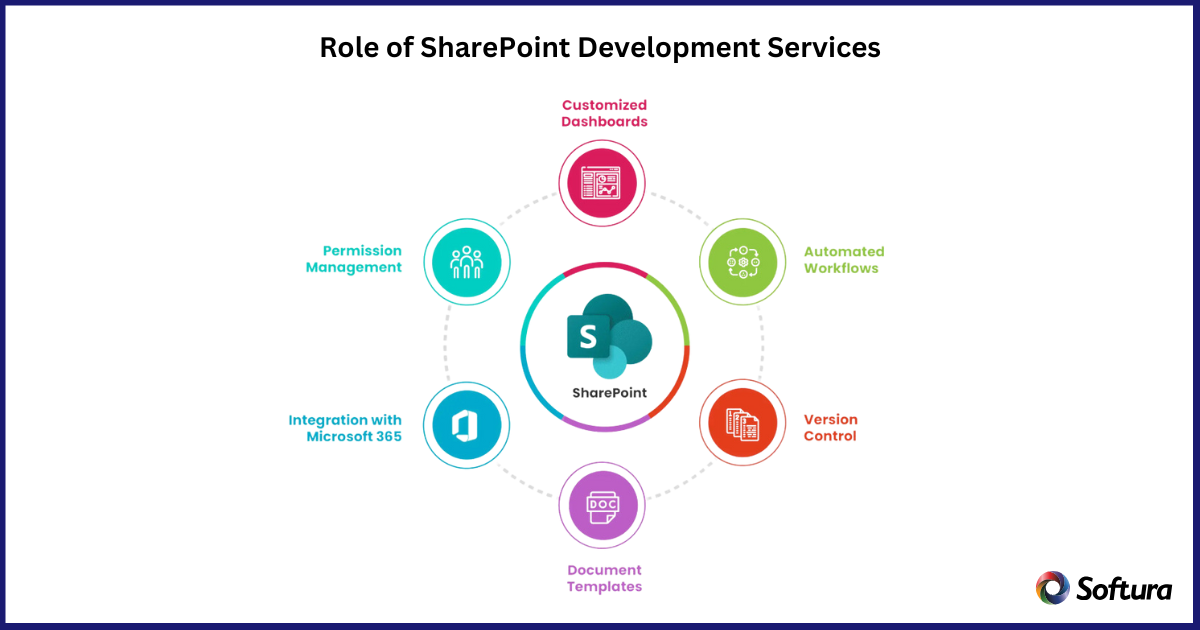
SharePoint development services are crucial in making these personalized portals possible. Experts in this space help businesses:
Custom SharePoint development delivers long-term business value that goes far beyond a basic intranet setup.
Organizations don’t have to do everything at once. Many start with one department—often HR or IT—then expand as adoption grows. This phased approach ensures success and builds confidence across the business.
Steps include:
Personalized department portals are no longer optional. They are essential for modern businesses that want to improve productivity, collaboration, and employee satisfaction. Instead of forcing teams into rigid systems, organizations can use SharePoint development services to create solutions that reflect how each department truly works.
Tailor SharePoint for Your Departments with Customized Portals
Streamline workflows, boost collaboration, and strengthen security with solutions designed for each team.