"Our integration with the Google Nest smart thermostats through Aidoo Pro represents an unprecedented leap forward for our industry."
- Antonio Mediato, founder and CEO of Airzone.
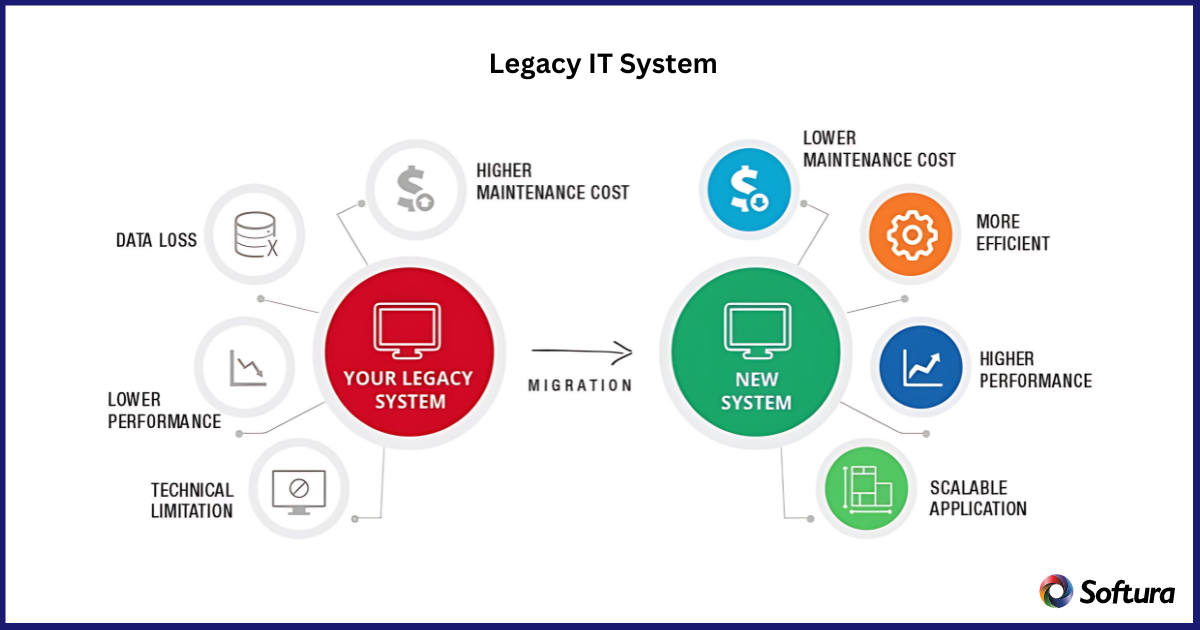
A legacy IT system is older software, hardware, database, or infrastructure that a company still uses even though newer options are available.
These systems often support billing, customer records, financial transactions, inventory, production workflows, reporting, and other critical operations.
A legacy system may be old, but it may also contain years of business logic, historical data, and operational dependency. For C-level leaders, the key question is: Is this legacy IT system still supporting the business, or is it increasing cost, risk, and friction?
A legacy IT system is outdated technology that still performs an important business function. It may continue to work, but it may not support modern needs such as security, scalability, integration, cloud migration, automation, or AI readiness.
It can include:
Legacy does not always mean useless. The problem begins when the system slows innovation, increases security exposure, or makes business change harder.
"Our integration with the Google Nest smart thermostats through Aidoo Pro represents an unprecedented leap forward for our industry."
- Antonio Mediato, founder and CEO of Airzone.
A legacy application is one outdated software program, such as an old billing tool, claims system, patient record platform, or inventory application.
A legacy IT system is broader. It includes the application plus the database, servers, integrations, reports, security rules, and workflows around it.
This matters because modernizing one tool may affect customer data, finance integrations, reporting, user permissions, and compliance records.
"By analyzing the data from our connected lights, devices and systems, our goal is to create additional value for our customers through data-enabled services that unlock new capabilities and experiences."
- Harsh Chitale, leader of Philips Lighting’s Professional Business.
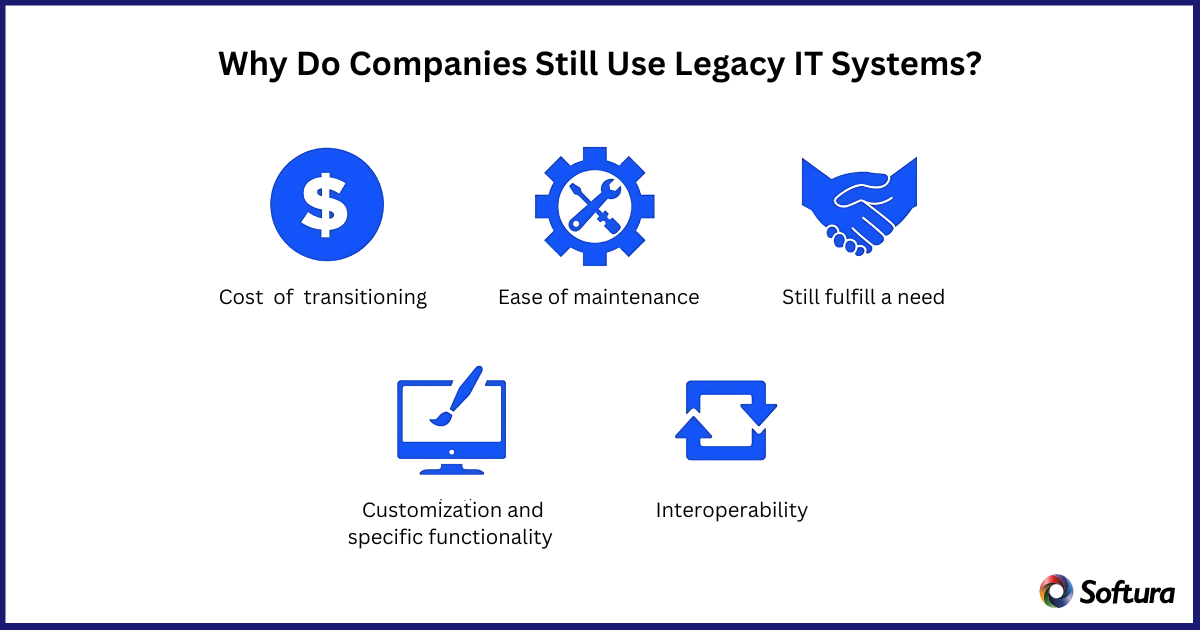
Companies continue using legacy systems because many still support mission-critical work. Replacing them too quickly can create downtime, data issues, employee disruption, or customer impact.
The main reasons include:
Without a modernization plan, continuity can slowly turn into risk.
"By analyzing the data from our connected lights, devices and systems, our goal is to create additional value for our customers through data-enabled services that unlock new capabilities and experiences."
- Harsh Chitale, leader of Philips Lighting’s Professional Business.
Legacy IT systems are common in industries where technology has been customized over many years.
These systems may remain useful, but they can limit visibility, integration, automation, analytics, and customer experience.
"By analyzing the data from our connected lights, devices and systems, our goal is to create additional value for our customers through data-enabled services that unlock new capabilities and experiences."
- Harsh Chitale, leader of Philips Lighting’s Professional Business.
Legacy systems can create risk even when they still work. These risks often grow slowly, which makes them easy to postpone.
Key risks include:
For executives, these risks affect cost, resilience, revenue, compliance, and competitiveness.
In 2026, legacy IT systems are a major barrier to digital transformation because they often limit access to clean, connected, and secure data.
AI, cloud, automation, and analytics all depend on systems that can share reliable information across the business.
Legacy systems can affect transformation in three ways:
Modernization helps improve data quality, integration, reporting, scalability, and digital readiness.
"Our integration with the Google Nest smart thermostats through Aidoo Pro represents an unprecedented leap forward for our industry."
- Antonio Mediato, founder and CEO of Airzone.
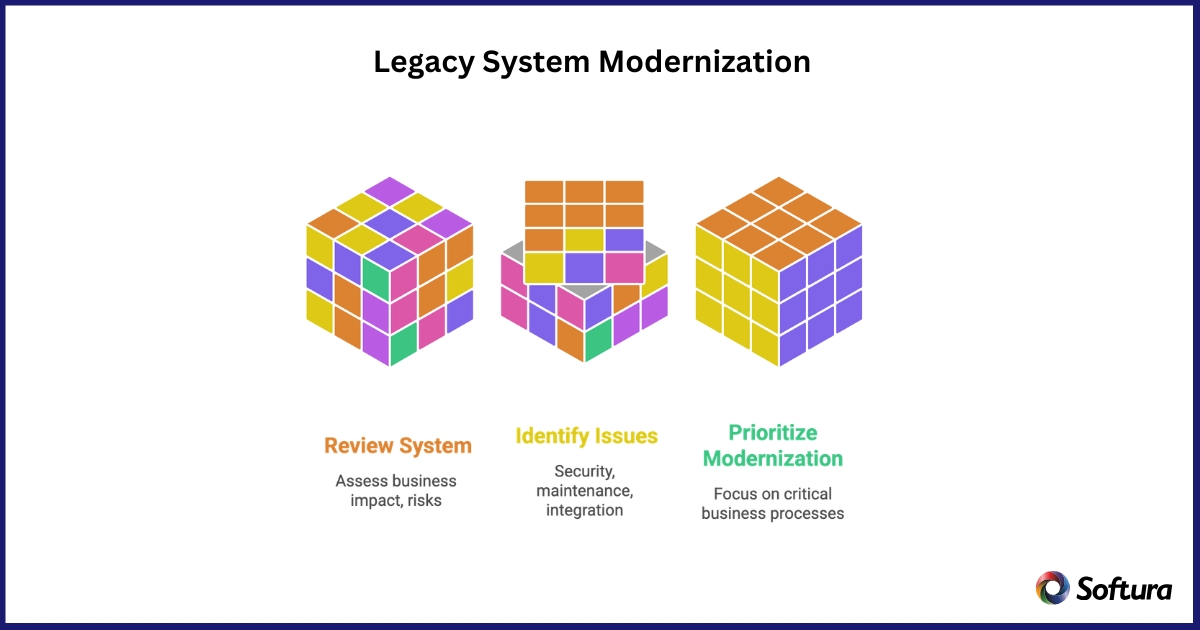
Not every legacy system needs immediate replacement. Some may still be stable, low-risk, and cost-effective.
A legacy system should be reviewed when:
A simple executive test is: If the system failed, would the business feel the impact immediately? If yes, it needs a modernization plan.
"Our integration with the Google Nest smart thermostats through Aidoo Pro represents an unprecedented leap forward for our industry."
- Antonio Mediato, founder and CEO of Airzone.
Modernization does not always mean replacing the entire system at once. For most businesses, the safer path is phased modernization.
A practical approach includes:
This approach reduces risk without interrupting critical business functions.
"Our integration with the Google Nest smart thermostats through Aidoo Pro represents an unprecedented leap forward for our industry."
- Antonio Mediato, founder and CEO of Airzone.
The right decision depends on business value, risk, cost, and future needs.
Use this simple guide:
The decision should not be based only on age. A system may be old but still valuable.
"Our integration with the Google Nest smart thermostats through Aidoo Pro represents an unprecedented leap forward for our industry."
- Antonio Mediato, founder and CEO of Airzone.
Softura helps organizations assess and modernize legacy IT systems with a practical approach focused on business continuity, security, scalability, and measurable outcomes.
Softura can support legacy system assessment, modernization roadmaps, cloud migration, API integration, UI/UX modernization, application refactoring, data migration planning, and secure phased implementation.
The goal is to reduce risk, improve performance, strengthen security, and build a more future-ready IT environment.
"Our integration with the Google Nest smart thermostats through Aidoo Pro represents an unprecedented leap forward for our industry."
- Antonio Mediato, founder and CEO of Airzone.
Legacy IT systems remain common because they support important operations and contain years of data, workflows, and business logic.
Keeping them unchanged can create risks such as security vulnerabilities, rising maintenance costs, compliance gaps, integration challenges, talent shortages, and reduced agility.
In many cases, phased modernization protects continuity while reducing risk over time. Legacy modernization is a business decision tied to security, cost control, resilience, cloud readiness.
"Our integration with the Google Nest smart thermostats through Aidoo Pro represents an unprecedented leap forward for our industry."
- Antonio Mediato, founder and CEO of Airzone.
Are you ready for your next project?
Unlock your company's full potential with our comprehensive Software development services. Contact our experts today to discuss how we can drive your success together.